
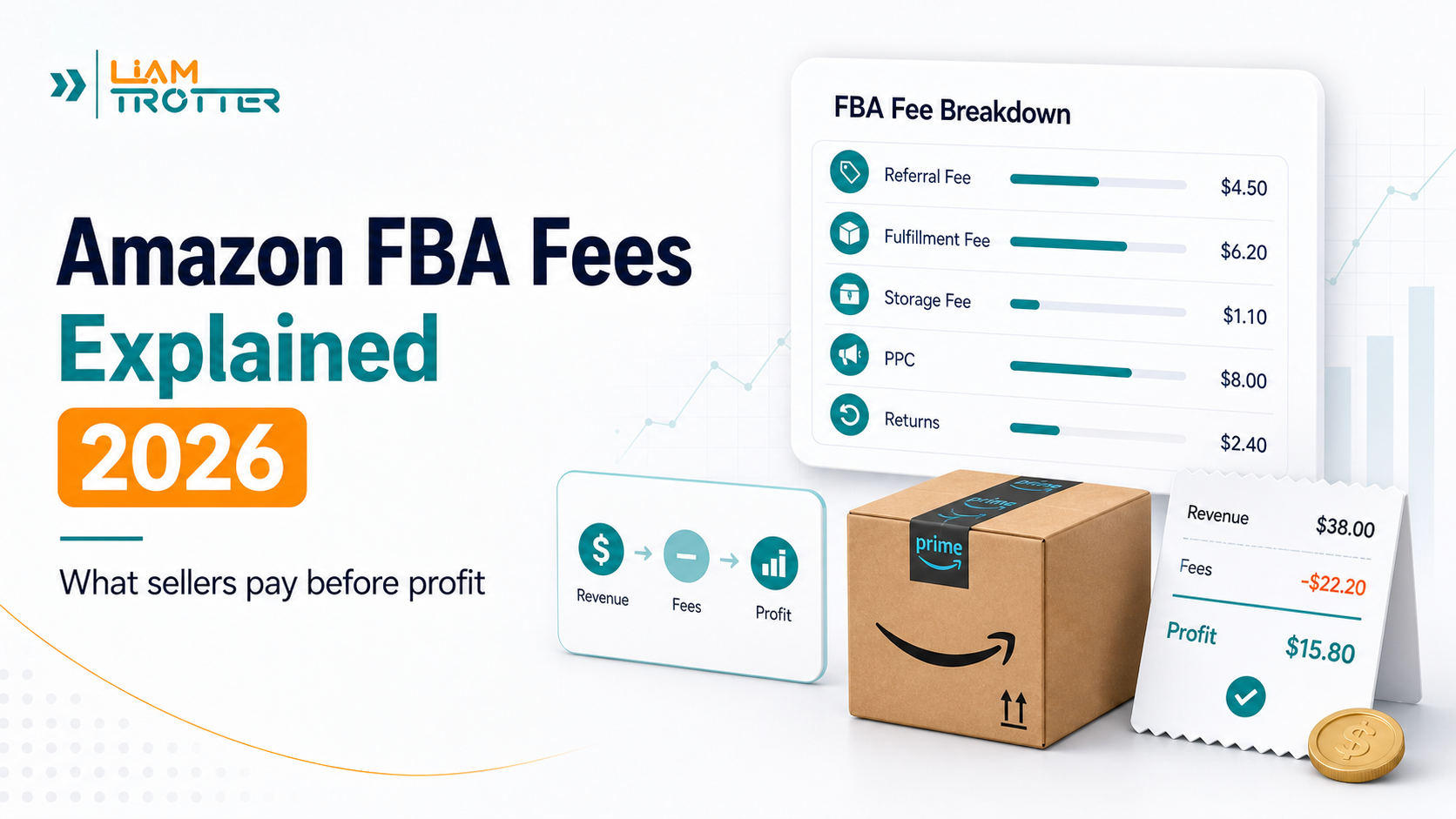

Amazon FBA can make selling on Amazon much easier, but it is not free.
Before you choose a product, set your price, or send inventory to Amazon, you need to understand the fees that may affect your profit. Many beginners think Amazon FBA fees are one simple charge. In reality, they are several different cost layers.
If you are still at the very beginning, first make sure you can register as a seller from your country. Our Amazon seller registration countries checker can help you see which marketplaces may be available before you start calculating fees.
This guide explains Amazon fees after you start selling on Amazon or using Fulfillment by Amazon. If you want the full startup budget, including inventory, samples, shipping, PPC, tools, and a safety buffer, read our guide on how much it costs to start Amazon FBA.
Some fees are general Amazon selling fees. Some are specific to Fulfillment by Amazon. Others only appear if your inventory moves slowly, your stock level gets too low, your product gets returned often, or you need to remove unsold inventory from Amazon’s fulfillment centers.
That is why understanding Amazon FBA fees is not just an accounting detail. It is part of choosing the right product, protecting your margin, and avoiding expensive surprises.
Quick Answer: What Are Amazon FBA Fees?
Amazon FBA fees are the costs Amazon charges sellers for using its fulfillment network. These fees can cover picking, packing, shipping, customer service, returns, and storage.
However, FBA fees are only one part of the total cost of selling on Amazon. Most sellers also need to think about general Amazon selling fees, such as referral fees and selling plan fees.
Here is the simplest way to think about it:
Amazon FBA Fees at a Glance
| Fee type | When it applies | What affects it | Beginner action |
|---|---|---|---|
| Selling plan fee | When you sell on Amazon using an Individual or Professional seller account | Your seller plan and sales volume | Choose Individual for casual testing or Professional for serious FBA selling |
| Referral fee | When you make a sale on Amazon | Product category, sale price, and Amazon’s current category rules | Check the category rate before pricing the product |
| FBA fulfillment fee | When Amazon fulfills a customer order through FBA | Product size tier, shipping weight, dimensional weight, and fee category | Estimate this before choosing a product, especially if the item is heavy or bulky |
| Monthly storage fee | When inventory is stored in Amazon fulfillment centers | Product volume, size tier, season, dangerous goods status, and storage usage | Avoid sending too much inventory before validating demand |
| Inbound placement fee | When you send inventory into Amazon’s fulfillment network | Shipment split option, size tier, weight, and inbound location | Compare shipping plan options before sending inventory |
| Low-inventory-level fee | When inventory is too low compared with historical demand | Historical days of supply, size tier, shipping weight, and FNSKU-level inventory | Do not let fast-moving inventory stay too low for too long |
| Aged inventory surcharge | When inventory stays in FBA too long | Inventory age, cubic volume, and current surcharge rules | Watch slow-moving products before they become expensive to hold |
| Returns, removal, and disposal fees | When customers return items or you remove/dispose of unsold inventory | Return rate, product category, size tier, shipping weight, and inventory condition | Avoid products with weak quality, unclear sizing, or high return risk |
The key point is simple: Amazon FBA fees are layered. You should not look at one fee in isolation. You need to understand how all the fees work together before deciding whether a product has enough profit margin.
If you already have a product idea, use the Amazon FBA cost calculator to estimate your product cost, fulfillment fees, shipping, PPC, and startup budget before you contact suppliers or buy inventory.
When beginners search for Amazon FBA cost, they are often mixing two related ideas: the startup budget needed to launch a product and the Amazon FBA fees charged when Amazon stores or fulfills inventory. This guide focuses on the fee side. If you want the full launch budget, read our guide on how much it costs to start Amazon FBA.
2026 Amazon FBA Fee Update to Know
Amazon fees can change over time. In 2026, one important update is a 3.5% fuel and logistics-related surcharge on certain FBA fulfillment fees in the US and Canada starting April 17, 2026.
Do not calculate your product margin using outdated screenshots or old fee assumptions. Before ordering inventory, check Amazon’s official fee pages and use the Revenue Calculator to confirm the latest estimates for your product.
Amazon 2026 FBA fulfillment fee changes | Amazon Revenue Calculator
Amazon Selling Fees vs Amazon FBA Fees
One of the biggest beginner mistakes is mixing up Amazon selling fees and Amazon FBA fees.
They are related, but they are not the same thing.
Amazon selling fees are fees you may pay simply because you sell on Amazon. These include your selling plan fee and referral fees.
Amazon FBA fees are fees connected to using Fulfillment by Amazon. These can include fulfillment fees, monthly storage fees, aged inventory surcharges, inbound placement fees, return processing fees, and other FBA-related costs.
In other words:
Selling fees help you access the Amazon marketplace. FBA fees help you use Amazon’s fulfillment network.
Many sellers pay both.
Selling Plan Fees
Amazon offers two main selling plans: Individual and Professional.
The Individual plan charges $0.99 per item sold. This can make sense if you are only selling a few items or testing casually.
The Professional plan costs $39.99 per month. This usually makes more sense for sellers who plan to sell regularly, use advanced selling features, run a more serious launch, or sell more than 40 units per month.
These selling plans are different from your legal business structure. You can choose a selling plan without automatically forming a company. If you are unsure about the legal side, read our guide on whether you need an LLC to sell on Amazon.
Here is the simple comparison:
| Selling plan | Cost | Best for |
|---|---|---|
| Individual | $0.99 per item sold | Very small volume or casual testing |
| Professional | $39.99 per month | Serious sellers, regular sales, and most FBA launches |
For most beginners building a real Amazon FBA business, the Professional plan is usually the more practical choice. But the right plan depends on your expected sales volume and how serious your launch is.
Referral Fees
A referral fee is Amazon’s commission on each sale.
This fee is usually charged as a percentage of the total sale price, and the percentage depends on the product category. In many common categories, referral fees are around 15%, but some categories are lower and others are higher.
For example, categories such as Home and Kitchen, Lawn and Garden, and Tools and Home Improvement commonly have a referral fee around 15%. Categories such as Computers and Consumer Electronics may have lower percentages, often around 8%.
Here is a simplified example:
| Product category | Example referral fee |
|---|---|
| Home and Kitchen | 15% |
| Lawn and Garden | 15% |
| Tools and Home Improvement | 15% |
| Computers | 8% |
| Consumer Electronics | 8% |
This matters because referral fees directly reduce your margin.
For example, if you sell a product for $20 and the referral fee is 15%, Amazon’s referral fee would be about $3 before you even account for product cost, FBA fulfillment fees, storage, shipping to Amazon, advertising, or returns.
That is why a product can look profitable at first but become weak once all Amazon fees are included.
These are only common examples. Referral fees can vary by product category, price tier, and Amazon fee category. Before choosing or pricing a product, check Amazon’s official referral fee table to confirm the exact rate for your category. Do not assume every product uses the same fee percentage.
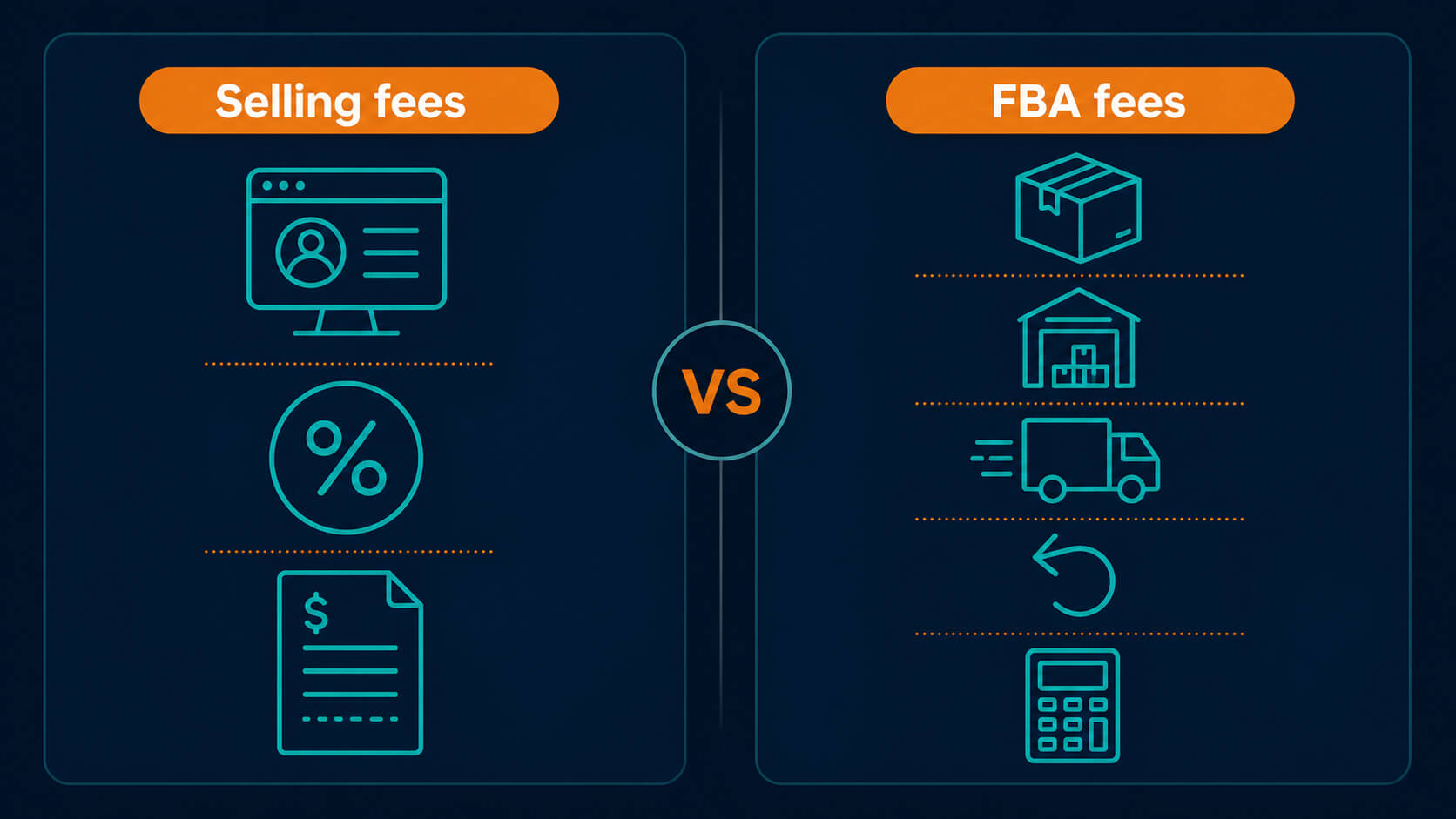
Core Amazon FBA Fees Every Seller Should Understand
Once you understand the difference between general Amazon selling fees and FBA-specific fees, the next step is to look at the main FBA fees that can affect your margin.
These are the fees beginners should understand before choosing a product, setting a price, or sending inventory to Amazon.
The most important Amazon FBA fees include fulfillment fees, storage fees, aged inventory surcharges, low-inventory-level fees, and inbound placement service fees.
Here is a simple overview before we break them down:
| FBA Fee | What It Covers | What Affects It |
|---|---|---|
| FBA fulfillment fee | Picking, packing, shipping, customer service, and fulfillment work | Product size, shipping weight, dimensional weight, and fee category |
| Monthly inventory storage fee | Storing inventory in Amazon fulfillment centers | Product volume, size tier, time of year, and inventory level |
| Storage utilization surcharge | Extra storage cost for some sellers with high storage usage | Storage utilization ratio, account age, inventory volume, and size tier |
| Aged inventory surcharge | Extra cost for inventory stored too long | Inventory age, cubic volume, and sometimes per-unit minimums |
| Low-inventory-level fee | Extra fee when inventory is too low compared with demand | Historical days of supply, size tier, shipping weight, and FNSKU-level inventory |
| FBA inbound placement service fee | Cost related to how Amazon places your inbound inventory across its network | Shipment split option, size tier, shipping weight, and inbound location |
FBA Fulfillment Fee
The FBA fulfillment fee is one of the most important Amazon FBA fees.
This is the per-unit fee Amazon charges when it fulfills a customer order through FBA. It helps cover the work of picking, packing, shipping, customer service, and basic fulfillment operations.
Amazon says this fee is charged when the buyer’s order is shipped. The fee is not the same for every product. It depends on factors such as product type, product size tier, shipping weight, dimensional weight, and fee category.
This is why two products with the same selling price can have very different FBA costs.
For example, a small lightweight item may have a much lower fulfillment fee than a bulky item, even if both products sell for a similar price. A large but lightweight product can also be expensive if dimensional weight is used in the fee calculation.
What Is the Amazon Pick and Pack Fee?
The Amazon pick and pack fee is a phrase many sellers use when they talk about the cost of Amazon picking an item from inventory, packing it, and preparing it for shipment.
In Amazon’s FBA fee structure, this is usually not treated as a separate beginner-facing fee called “pick and pack.” Instead, the picking and packing work is generally part of the FBA fulfillment fee, which can also cover shipping, customer service, and basic fulfillment operations.
So if you are searching for the FBA pick and pack fee, the main fee to understand is the FBA fulfillment fee. The exact amount depends on product size tier, shipping weight, dimensional weight, product category, and Amazon’s current fee rules.
In 2026, sellers also need to watch for Amazon’s fee updates. Amazon announced a 3.5% fuel and logistics-related surcharge on fulfillment fees starting April 17, 2026 for certain FBA and related fulfillment programs in the US and Canada.
Here is a simple way to understand what affects the FBA fulfillment fee:
| What affects the fee | Why it matters |
|---|---|
| Product size tier | Larger items usually cost more to fulfill |
| Shipping weight | Heavier products usually cost more |
| Dimensional weight | Large but light products can still be expensive |
| Fee category | Apparel, dangerous goods, and other categories may have different rules |
| 2026 surcharge | Some fulfillment fees may include the added fuel and logistics-related surcharge |
This is one reason small, lightweight, simple products are often easier for beginners to manage.
These details are only a simplified explanation. Because the exact FBA fulfillment fee depends on your product’s size tier, shipping weight, and fee category, check Amazon’s official FBA fulfillment fee page or use the Revenue Calculator before making a sourcing or pricing decision.
Is FBA Small and Light Still Available?
Some sellers still search for FBA Small and Light because the name was used for a long time. However, Amazon closed the Small and Light program in the US in 2023 and replaced it with Low-Price FBA rates.
This matters because you should not make 2026 product decisions using old Small and Light assumptions. If you are researching a low-priced, small, lightweight product, look for Amazon’s current Low-Price FBA rates and current FBA fee tables instead of relying on outdated Small and Light content.
For beginners, the practical lesson is the same: low-priced products can still be difficult if the margin is too thin. Always compare the current referral fee, FBA fulfillment fee, storage risk, inbound costs, PPC, and returns before buying inventory.
Monthly Inventory Storage Fees
FBA fulfillment fees are not the only cost to watch. If you store inventory in Amazon fulfillment centers, you may also pay monthly inventory storage fees.
Amazon charges monthly storage fees based on the space your inventory occupies in its fulfillment centers. These fees are calculated using the average daily volume of your inventory, usually measured in cubic feet.
Monthly storage fees can depend on:
- product size tier
- product volume
- average daily units in storage
- time of year
- dangerous goods classification
- storage utilization ratio
The time of year matters because storage fees are usually higher in the holiday shopping season.
For non-dangerous goods products, Amazon’s storage fee table shows higher rates in October through December than in January through September.
Here is a simplified version:
| Period | Standard-size | Oversize | Beginner Note |
|---|---|---|---|
| January–September | $0.78/cu ft | $0.56/cu ft | Lower off-peak storage period |
| October–December | $2.40/cu ft | $1.40/cu ft | Higher Q4 storage period |
This does not mean every seller will pay a large storage bill. A small product with fast sales may have low storage costs. But if you choose a bulky product or send too much inventory too early, storage fees can become a real margin problem.
Q4 storage can especially change the economics of a slow-moving product.
These are simplified storage examples. For exact storage rates, dangerous goods rates, surcharge rules, and seasonal changes, check Amazon’s official selling fees guide before sending inventory.
Storage Utilization Surcharge
The storage utilization surcharge is an extra storage-related fee that applies only to certain sellers.
This surcharge is separate from the base monthly storage fee. It is connected to how efficiently your inventory uses Amazon’s fulfillment center space.
In simple terms, Amazon looks at how much inventory volume you are storing compared with how much volume is shipping out over time. If your inventory takes up too much space relative to your sales, you may face an additional surcharge.
This surcharge does not apply to every seller.
According to Amazon, it generally applies only when several conditions are met, such as having a Professional selling account, having sent your first shipment to a US fulfillment center more than 365 days ago, having enough average daily inventory volume, and having a storage utilization ratio above Amazon’s threshold.
For beginners, the important point is this:
You may not face this surcharge immediately, but you should still understand it. If you grow your inventory without enough sell-through, storage can become more expensive.
A good beginner strategy is to avoid sending too much inventory before the product is validated. You want enough inventory to test demand, but not so much that Amazon’s storage system starts working against your margins.
Aged Inventory Surcharge
The aged inventory surcharge is the fee that punishes slow-moving inventory.
This fee was previously known as the long-term storage fee. It applies when inventory has been stored in Amazon’s fulfillment network for 181 days or longer.
This fee is charged in addition to monthly inventory storage fees.
That means a product can create two storage-related problems at the same time:
- regular monthly storage fees
- aged inventory surcharge if it sits too long
Amazon also updated aged inventory surcharge rules for 2026, especially for inventory aged 366 days or more.
The exact fee depends on how long the inventory has been stored and the product’s cubic volume. For older inventory, Amazon may compare cubic-foot calculations with per-unit minimums and apply the higher amount.
The beginner lesson is simple: do not send too much inventory for an unproven product.
A product that sells slowly can become more expensive every month it sits in FBA. Even if the product looked profitable at launch, slow sell-through can reduce or destroy the margin over time.
To reduce the risk of aged inventory surcharge:
- start with a controlled first order
- avoid over-ordering before validating demand
- monitor FBA Inventory regularly
- discount or promote slow-moving products before they age too much
- consider removal or disposal before fees become worse
Because aged inventory fees depend on storage age, cubic volume, and current Amazon rules, check Amazon’s official Aged Inventory Surcharge page before deciding whether to hold, discount, remove, or dispose of slow-moving inventory.
Low-Inventory-Level Fee
Not all inventory problems come from having too much inventory.
Sometimes, having too little inventory can also cost more.
The low-inventory-level fee can apply when a product’s inventory level is too low compared with its historical demand. Amazon uses a metric called historical days of supply to decide whether the fee applies.
In simple terms, Amazon looks at whether your inventory can support demand over time. If both your long-term and short-term historical days of supply fall below 28 days, the product may be subject to the fee.
This fee is added to the FBA fulfillment fee for eligible shipped units.
Amazon also announced 2026 changes to the low-inventory-level fee. Starting January 15, 2026, the historical days of supply metric is calculated at the seller-FNSKU level instead of the parent-ASIN level. Amazon also states that the fee will apply to Small Bulky and Large Bulky products going forward, while Grocery products are exempt.
This fee creates an important balance for sellers.
You do not want too much inventory sitting in FBA because that can create storage and aged inventory fees. But you also do not want inventory levels to stay too low compared with demand because that can increase your per-unit fulfillment cost.
The goal is not to send too much inventory or too little inventory. The goal is to keep the right amount of inventory moving.
To reduce the risk of this fee:
- monitor your historical days of supply
- avoid repeatedly running inventory too low
- plan replenishment before stock becomes too thin
- watch both short-term and long-term inventory trends
- use FBA Inventory to identify products that may be at risk
Because low-inventory-level fees depend on size tier, shipping weight, FNSKU-level inventory, historical demand, and exemptions, check Amazon’s official Low-Inventory-Level Fee page for the exact rules before making replenishment decisions.
FBA Inbound Placement Service Fee
The FBA inbound placement service fee is different from the fulfillment fee.
It is not charged when a customer order ships. It is connected to how your inventory is sent into Amazon’s fulfillment network and how Amazon places that inventory across its fulfillment centers.
When you create a shipping plan, Amazon may give you different inbound placement options.
The main options include:
| Inbound Placement Option | What It Means | Beginner Note |
|---|---|---|
| Minimal shipment splits | You send inventory to fewer locations, often one location, and Amazon distributes it across its network | Easier, but usually comes with a fee |
| Amazon-optimized shipment splits | You send inventory to multiple locations yourself under Amazon’s requirements | Can have no inbound placement fee if you qualify |
| Partial shipment splits | Available for some bulky products, with fewer locations than Amazon-optimized | Middle ground for certain bulky inventory |
This fee matters because it affects the cost of sending inventory to Amazon, not just the cost of selling after launch.
A beginner may calculate product cost, referral fees, and fulfillment fees, but forget that sending inventory into FBA can also have placement-related costs.
Amazon’s 2026 updates also affect inbound placement service fees. Starting January 15, 2026, Amazon says it will increase inbound placement service fees for standard-size products by an average of $0.05 per unit, add more shipping weight bands, and split some bulky product size tiers.
A small per-unit increase may not look serious at first. But if you send hundreds or thousands of units, a few cents per unit can become a meaningful cost.
For example, Amazon gives an example where 100 units of a large standard product using a minimal shipment split option increase from a total fee of $37.00 before the 2026 change to $42.00 after the change.
To reduce inbound placement surprises:
- compare placement options when creating your shipping plan
- check whether Amazon-optimized shipment splits are practical for your shipment
- keep product size and weight in mind before sourcing
- avoid assuming inbound costs will be the same for every shipment
- use Amazon’s Revenue Calculator or shipping plan estimates before finalizing inventory decisions
Because inbound placement fees depend on product size, shipping weight, shipment split option, inbound location, and Amazon’s current rate ranges, check Amazon’s official FBA Inbound Placement Service Fee page before sending inventory.
Amazon FBA Shipping Fees: Customer Shipping vs Shipping Inventory to Amazon
When beginners search for Amazon FBA shipping fees, they may be talking about different costs. This is why the term can be confusing.
There are usually four shipping-related costs or estimates to understand:
- FBA fulfillment fees: the per-unit fee Amazon charges when it picks, packs, ships, and supports an FBA customer order.
- Inbound shipping costs: the cost of sending your inventory from your supplier, warehouse, or prep center to Amazon.
- FBA inbound placement service fees: the fee related to how Amazon places your inbound inventory across its fulfillment network.
- Shipping plan or calculator estimates: the estimated shipping or fulfillment-related costs you may see while using Amazon’s Revenue Calculator or creating a shipping plan.
These are not the same thing. A product can have a reasonable fulfillment fee but still become expensive if inbound shipping, placement fees, storage, or returns are ignored.
Before buying inventory, estimate both sides: the cost to send inventory into Amazon and the FBA fees charged after customer orders are fulfilled.
This distinction is especially important if you are sourcing from another country. A product may look profitable inside Amazon’s fee estimate, but your real landed cost can change after supplier shipping, freight, prep, customs, packaging, and inbound placement costs are included.
Other Amazon FBA Fees Beginners Often Forget
The fees above are the main Amazon FBA fees most sellers need to understand first. But they are not the only fees that can affect your profit.
Some Amazon FBA fees appear only in specific situations, such as high return rates, unsold inventory, removal orders, disposal orders, or certain product categories.
Beginners often forget these fees because they do not always appear during the first product research stage. But if your product sells slowly, gets returned often, or becomes hard to move, these fees can become important.
Here is a quick overview:
| Fee | When It Can Happen | Beginner Note |
|---|---|---|
| Returns processing fee | When a product has a high return rate, or for apparel and shoes returns | High-return products can become more expensive than expected |
| Removal order fee | When you ask Amazon to remove inventory from FBA | Heavy or bulky products can be costly to remove |
| Disposal order fee | When you ask Amazon to dispose of inventory | Useful for dead inventory, but still costs money |
| Refund administration fee | When Amazon processes a refund after you were paid | Usually relevant after customer refunds |
| Closing fees | Certain media products | Category-specific fee |
| High-volume listing fee | Very large catalogs | Usually not a beginner concern |
Returns Processing Fee
The returns processing fee applies when customer returns create extra operational costs.
For most products, Amazon does not simply charge this fee on every return. Instead, the fee applies when a product’s return rate is above the return rate threshold for that product’s fee category.
In simple terms, Amazon compares how many units were shipped with how many were returned during a measurement period. If returns exceed the category threshold, the returns processing fee can apply to the returned units above that threshold.
Amazon gives a useful example: if 1,000 units are shipped in June and 120 are returned over the measurement period, and the product’s return threshold is 10%, then the first 100 returned units are within the threshold. The returns processing fee would apply to the 20 returned units above that threshold.
Apparel and shoes are different. For apparel and shoes, Amazon applies the returns processing fee to each customer-returned unit, without using the same return rate threshold system.
This fee matters because returns do not only cost you the sale. They can also create extra fees, extra handling, unsellable inventory, and weaker margins.
Products with a high return risk can include items where:
- sizing is difficult
- customer expectations are subjective
- product quality is inconsistent
- listing photos or descriptions are unclear
- fragile items arrive damaged
- the product is often bought for comparison and returned
To reduce returns-related costs:
- make the listing clear and accurate
- use honest product photos
- avoid overpromising in bullet points
- improve packaging
- inspect product quality before sending inventory
- study negative reviews in your category before sourcing
Because returns processing fees depend on product category, return rate thresholds, size tier, shipping weight, and whether the product is apparel or shoes, check Amazon’s official Returns Processing Fee page before choosing a product with high return risk.
Removal Order Fees
A removal order fee applies when you ask Amazon to remove inventory from FBA.
This may happen when inventory is not selling, when you want to inspect returned units, when a product has a listing issue, or when you want to avoid additional storage or aged inventory fees.
Amazon charges removal fees per unit removed. The fee depends mainly on product size tier and shipping weight. Starting March 1, 2026, Amazon says removal fees will be charged when the individual unit is removed.
Removal fees are especially important for heavy or bulky products.
For example, Amazon’s official examples show:
| Product Example | Shipping Weight | Example Removal Fee |
|---|---|---|
| Book | 0.5 lb | $1.04 per unit |
| Shoes | 1 lb | $3.12 per unit |
| Dumbbells | 22 lb | $27.04 per unit |
This is why product choice matters so much. A heavy product is not only more expensive to ship and store. It can also be expensive to remove if the product does not sell.
Another important point: removal is not always fast. Amazon says it can take 90 days or more for a removal order to process and leave the fulfillment center, plus additional time for carrier delivery.
To reduce removal risk:
- avoid ordering too much inventory at the beginning
- validate demand before sending a large shipment
- monitor slow-moving inventory early
- compare discounting, removal, and disposal before fees increase
- avoid heavy products unless the margin can support the risk
Because removal fees depend on shipping weight and product size tier, check Amazon’s official FBA Removal Order Fees page before deciding whether to remove unsold inventory.
Disposal Order Fees
A disposal order fee applies when you ask Amazon to dispose of inventory stored in FBA.
This is different from a removal order. With removal, inventory is taken out of FBA and sent back or removed from fulfillment. With disposal, Amazon disposes of the inventory for you.
Disposal may make sense when the inventory has little resale value, is damaged, is too expensive to ship back, or would cost more to keep than to discard.
Amazon charges disposal fees per unit disposed. Like removal fees, disposal fees depend mainly on product size tier and shipping weight. Starting March 1, 2026, Amazon says disposal fees will be charged when the individual unit is disposed.
Amazon gives examples showing how disposal costs can add up:
| Example | What Happens | Disposal Fee |
|---|---|---|
| Two standard-size units | Each unit weighs 0.56 lb and is rounded to 0.6 lb | $1.53 per unit, $3.06 total |
| Three oversize units | Each unit weighs 10.1 lb and is rounded to 11 lb | $15.38 per unit, $46.14 total |
Disposal can be faster than removal in some cases, but it is still not instant. Amazon says disposal orders are typically processed in 14 business days, but they may take 30 business days or more during the holiday season or peak removal periods.
The main lesson is simple: dead inventory still costs money.
If a product does not sell, you may pay storage fees, aged inventory surcharge, removal fees, or disposal fees. This is why controlled inventory planning matters from the beginning.
Because disposal fees depend on shipping weight, product size tier, and current rate cards, check Amazon’s official FBA Disposal Order Fees page before choosing disposal as the best option.
Refund Administration Fee, Closing Fees, and Other Service Fees
Some Amazon fees do not apply to every seller, but they are still worth knowing.
These fees may include:
| Fee | When It May Apply | Beginner Note |
|---|---|---|
| Refund administration fee | When Amazon processes a customer refund after you were paid | Usually connected to refunds |
| Closing fee | Certain media products such as books, music, DVDs, and software | Category-specific |
| High-volume listing fee | Sellers with very large numbers of listings | Usually not relevant for beginners |
| Rental book service fee | Textbook rental sellers | Niche fee |
| Lithium batteries fee | Products containing lithium batteries | Product-specific |
| Special handling fee | Certain categories or products needing special handling | Depends on product type |
Most beginners will not face every fee on this list. But the list is useful because it reminds you that Amazon fees are category-specific and product-specific.
The safest approach is to check the official Amazon fee information for your product category before you buy inventory.
Do not assume that a product is profitable just because the product cost looks low. A product with special handling, high returns, slow sell-through, or a difficult category can become expensive after all fees are included.
Amazon FBA Fee Example for a Beginner Product
To make Amazon FBA fees easier to understand, let’s use a simple beginner product example.
This is not meant to be an exact profit calculation. The goal is to show how the fee layers fit together before you decide whether a product is worth selling.
Let’s imagine a simple, lightweight product with these assumptions:
- Selling price: $19.99
- Product cost: $5.00
- Referral fee: 15%
- FBA fulfillment fee: depends on product size, shipping weight, and category
- Storage fee: depends on product volume and how long inventory stays in FBA
- PPC: separate advertising cost
- Returns: depends on product quality, category, and customer expectations
Here is a simple way to look at the fee layers:
| Cost Layer | Example |
|---|---|
| Selling price | $19.99 |
| Referral fee at 15% | About $3.00 |
| Product cost | $5.00 |
| FBA fulfillment fee | Depends on size, weight, and fee category |
| Monthly storage | Depends on volume, season, and inventory age |
| PPC advertising | Separate launch or operating cost |
| Returns or refunds | Depends on return rate and category |
| Profit before other costs | Must be calculated after all fee layers |
At first, the product may look simple:
$19.99 selling price – $5.00 product cost = $14.99 before Amazon fees and other costs
But that number is not your profit.
You still need to account for referral fees, FBA fulfillment fees, storage, inbound shipping, advertising, returns, and any other operating costs.
For example, if the referral fee is about $3.00, your remaining amount after product cost and referral fee would look like this:
$19.99 – $5.00 – $3.00 = $11.99 before FBA fulfillment, storage, ads, and other costs
That still does not mean you keep $11.99.
You need to subtract the FBA fulfillment fee, any storage cost, PPC spend, inbound shipping per unit, packaging, prep, and possible return-related costs.
This is why beginners should avoid judging a product only by product cost and selling price.
A better question is:
After all Amazon fees and operating costs, does this product still leave enough margin to be worth the risk?
For a beginner product, you want enough room for:
- referral fees
- FBA fulfillment fees
- shipping to Amazon
- PPC testing
- storage
- returns
- damaged units
- price changes
- unexpected costs
If the margin only works before Amazon fees are included, the product is probably too risky.
This is also why small and lightweight products are often easier for beginners. They may have lower fulfillment, storage, removal, and disposal risk than heavy or bulky products.
Before buying inventory, use Amazon’s Revenue Calculator or official fee pages to estimate your real costs. Then add your own product cost, shipping cost, PPC budget, and buffer manually so you are not surprised after launch.
If you are still planning the full launch budget, you can use the Amazon FBA cost calculator to estimate startup costs such as inventory, shipping, PPC, tools, and safety buffer before buying inventory.
How to Estimate Amazon FBA Fees Before You Sell
The safest way to estimate Amazon FBA fees is not to guess.
Amazon fees depend on too many variables, including product category, selling price, product size, shipping weight, storage time, return rate, and fulfillment method. That means two products with the same selling price can have very different margins.
Before you buy inventory, use an Amazon FBA fee calculator or Amazon’s official Revenue Calculator to estimate your costs.
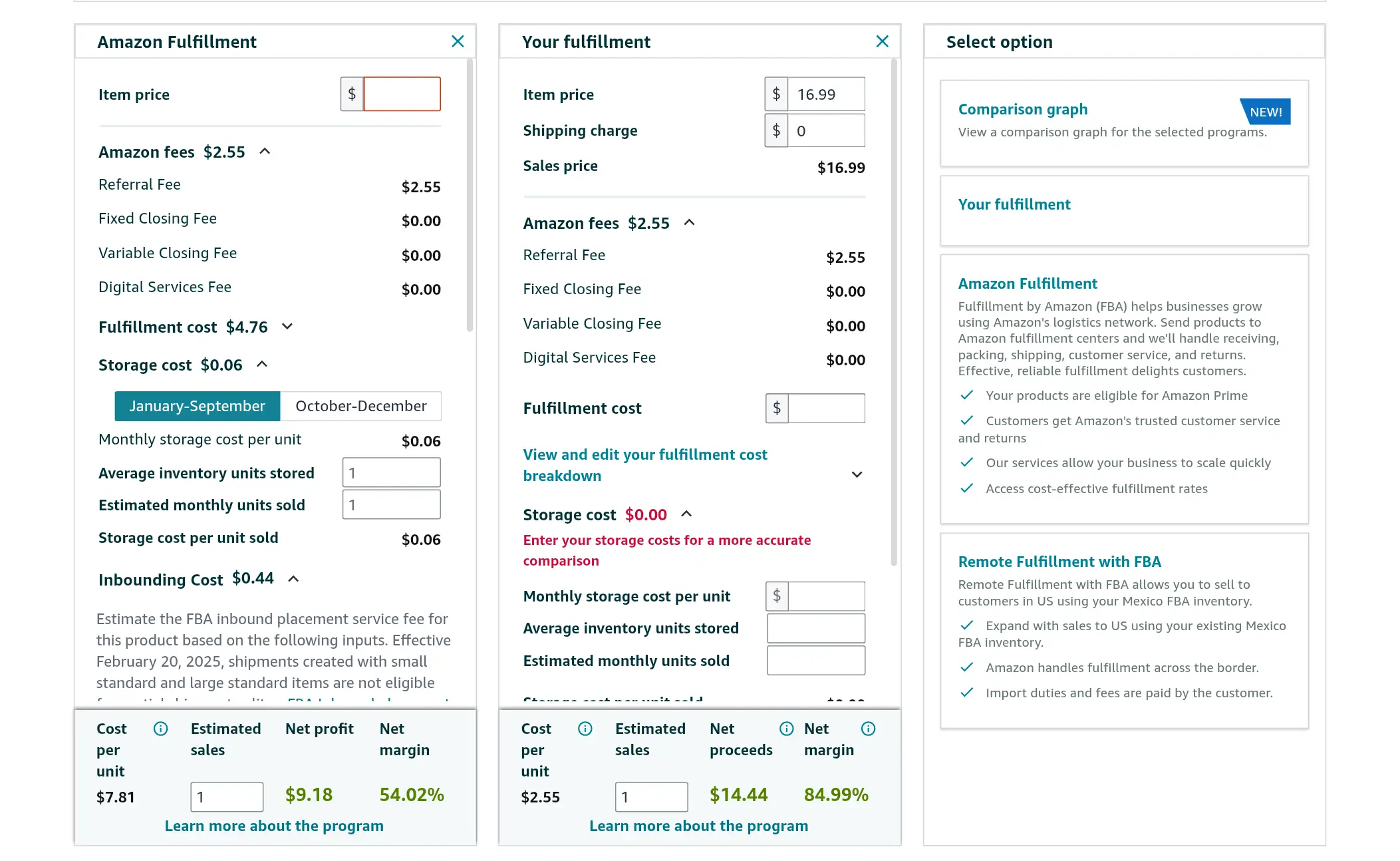
The goal is not to get a perfect number. The goal is to avoid making a sourcing decision without understanding the main fee layers.
Use Amazon’s Revenue Calculator
Amazon’s Revenue Calculator can help you compare estimated costs for FBA and your own fulfillment method. It allows you to enter or adjust details such as product category, dimensions, weight, price, shipping charges, and fulfillment method.
This is useful because FBA fees are not based only on price. A product’s size and weight can completely change the economics of the product.
Use the calculator before you:
- contact suppliers seriously
- place a sample order
- commit to inventory
- set your selling price
- estimate your profit margin
- compare FBA with FBM
- decide whether a product is worth testing
For exact estimates, use Amazon’s official Revenue Calculator and remember that calculator results are estimates only. Actual costs can vary.
What to Enter in the Calculator
When using an Amazon FBA fee calculator, try to enter realistic numbers.
Do not use optimistic guesses just to make the product look profitable.
Here are the main inputs to prepare:
| Input | Why It Matters |
|---|---|
| Selling price | Affects referral fee and revenue |
| Product category | Affects referral fee and some fee rules |
| Product dimensions | Affects size tier and dimensional weight |
| Product weight | Affects fulfillment and shipping-related fees |
| Product cost | Helps estimate real margin |
| Inbound shipping cost | Should be included in landed cost |
| Fulfillment method | Lets you compare FBA and your own fulfillment |
| Storage assumptions | Helps estimate inventory holding costs |
| Advertising budget | PPC is not an FBA fee, but it affects profit |
The calculator can help with Amazon fee estimates, but you still need to add your own costs manually.
These may include:
- product cost
- supplier shipping
- inspection
- packaging
- prep
- barcode or product ID costs
- PPC
- samples
- software tools
- emergency buffer
This is why a product can look profitable in a calculator but still be risky if your real landed cost is too high.
Do Not Forget PPC and Launch Costs
Amazon PPC is not usually counted as an FBA fee, but it can strongly affect your launch profitability.
A beginner may calculate referral fees and fulfillment fees correctly, then forget that a new product often needs advertising to get visibility.
That can create a false sense of profit.
For example, if your product has a small margin after Amazon fees, PPC can quickly turn the product unprofitable during launch.
Before buying inventory, ask:
- How much can I spend on ads and still break even?
- What is my target profit margin after PPC?
- How many units do I need to sell to recover my launch costs?
- Can this product survive a few weeks of testing?
- What happens if conversion is lower than expected?
The calculator is only one part of the decision. You still need to think like a business owner.
Use Amazon Reports After You Start Selling
Before launch, the Revenue Calculator helps you estimate fees.
After launch, you should use Amazon reports to monitor actual costs.
Useful Amazon tools and reports may include:
| Tool or Report | What It Helps You Check |
|---|---|
| Revenue Calculator | Estimate fees before selling |
| Fee Preview report | Preview estimated fees for products |
| Profit Analytics | Review fees, costs, and profitability |
| FBA Inventory | Monitor inventory health and fee risks |
| Monthly Storage Fees report | Review storage fee details |
| SKU Economics report | Review SKU-level costs and fees |
| Payments Transaction View | Check actual charges after sales or service fees |
This is important because estimated fees and actual fees may not always match perfectly.
Your product may be measured differently, your storage time may increase, your return rate may change, or your inbound placement option may cost more than expected.
If your FBA product is measured incorrectly and you believe you were charged the wrong FBA fees, Amazon also provides tools such as the FBA Remeasurement and Reimbursement Tool.
A Simple Fee Estimation Process
Here is a simple process beginners can use before ordering inventory:
- Choose a product idea.
- Find a similar product in Amazon’s catalog.
- Estimate your selling price.
- Check the referral fee for the product category.
- Enter the product dimensions and weight into Amazon’s Revenue Calculator.
- Review the estimated FBA fulfillment fee.
- Estimate storage costs based on expected inventory volume and sell-through.
- Add product cost, shipping, prep, and packaging.
- Add a realistic PPC testing budget.
- Leave room for returns, damaged units, and unexpected costs.
Only after that should you decide whether the product has enough margin.
A useful rule is this:
Do not buy inventory until the product still looks profitable after Amazon fees, shipping, ads, and a safety buffer.
If the profit only looks good before fees are included, the product is probably too risky.
How to Reduce Amazon FBA Fees
You cannot remove Amazon FBA fees completely, but you can make better decisions so the fees do not destroy your margin.
The goal is not to avoid every fee. The goal is to choose products, manage inventory, and price your offer in a way that leaves enough profit after all major costs are included.
Here are practical ways to reduce Amazon FBA fees and fee-related risk.
Choose Small, Lightweight Products
Product size and weight affect several Amazon FBA fees.
They can influence:
- FBA fulfillment fees
- monthly inventory storage fees
- inbound placement fees
- removal fees
- disposal fees
- returns processing fees in some cases
This is why small and lightweight products are often easier for beginners to manage.
A product does not have to be tiny to be profitable, but beginners should be careful with products that are:
- heavy
- bulky
- fragile
- expensive to ship
- difficult to package
- likely to be returned
- slow to sell
A heavy product may look profitable at first, but the real margin can disappear once fulfillment, storage, inbound shipping, and removal risk are included.
Avoid Slow-Moving Inventory
Slow-moving inventory can create several problems.
At first, you may only pay normal monthly storage fees. But if the product stays in Amazon’s fulfillment network for too long, it may become subject to aged inventory surcharge.
Amazon’s aged inventory surcharge starts when inventory has been stored in its fulfillment network for 181 days or longer. The longer inventory stays unsold, the more expensive it can become.
To reduce this risk:
- start with a controlled first order
- avoid sending too much inventory before validating demand
- monitor sell-through regularly
- discount slow-moving products early
- consider promotions before inventory becomes old
- review FBA Inventory before the monthly assessment date
- compare keeping, discounting, removing, or disposing of inventory
The best time to solve an inventory problem is before the inventory becomes expensive to hold.
Do Not Keep Inventory Too Low Either
It may seem safer to send very little inventory to Amazon, but inventory that is too low can also create problems.
Amazon’s low-inventory-level fee can apply when your inventory is low compared with historical demand. The fee is connected to historical days of supply and may be added to the FBA fulfillment fee for eligible units.
This means sellers need to avoid both extremes:
- too much inventory can create storage and aged inventory problems
- too little inventory can create low-inventory-level fee risk and stockout risk
A better goal is to keep enough inventory available to support demand without overcommitting cash.
To manage this:
- monitor historical days of supply
- track weekly sales velocity
- plan replenishment before inventory becomes too low
- understand supplier lead times
- consider production and shipping delays
- avoid waiting until the last minute to reorder
Good inventory management is one of the best ways to control Amazon FBA fees.
Use the Revenue Calculator Before Ordering
Use Amazon’s Revenue Calculator before you place an inventory order. It can help you estimate referral fees, fulfillment fees, and fulfillment method comparisons before you commit money to a product.
This is especially important if:
- the product is heavy
- the product is large
- the category has unusual referral fees
- the product may be classified as apparel or dangerous goods
- the product has packaging that changes its dimensions
- the product has a narrow profit margin
The Revenue Calculator will not tell you everything. You still need to add product cost, supplier shipping, prep, packaging, PPC, returns, and a buffer.
But it can help you avoid products that are obviously weak after Amazon fees.
Improve Product Quality and Listing Accuracy
Returns can create more than lost sales.
High return rates may lead to returns processing fees, especially if the product exceeds category-specific return rate thresholds. For apparel and shoes, the rules are different because Amazon can apply returns processing fees to each customer-returned unit.
You can reduce return-related risk by improving the product and the listing before launch.
Focus on:
- accurate product photos
- clear dimensions
- honest bullet points
- realistic use cases
- better packaging
- quality control before shipment
- supplier consistency
- clear sizing information if relevant
- avoiding exaggerated claims
Many returns happen because the product does not match the customer’s expectation. A clearer listing can reduce confusion and protect your margin.
Plan Inbound Shipments Carefully
Inbound placement can also affect your costs.
If you choose easier inbound placement options, such as sending inventory to fewer locations, you may pay more in inbound placement service fees. If you qualify for Amazon-optimized shipment splits, you may reduce or avoid those fees, but the shipment may be more complex to prepare.
Before sending inventory, compare your options inside the shipping plan.
Think about:
- number of shipment locations
- carton requirements
- product size tier
- shipping weight
- inbound location
- whether the shipment qualifies for Amazon-optimized placement
- whether simplicity is worth the extra fee
For beginners, the cheapest option is not always the best option. Sometimes paying a fee for simplicity may make sense. But you should make that decision intentionally, not discover the fee after the fact.
Price With Fees in Mind
A product price should not be based only on competitor prices.
You need to price with your full cost structure in mind.
Before finalizing your price, estimate:
- referral fee
- FBA fulfillment fee
- storage cost
- inbound shipping per unit
- PPC cost per sale
- product cost
- packaging or prep cost
- returns risk
- removal or disposal risk
- your target profit margin
If your price leaves no room for Amazon fees, the product may not be worth launching.
A simple product with a slightly higher margin is often safer than a product that only works if everything goes perfectly.
Review Fees After Launch
Fee management does not stop when the product goes live.
After launch, review your actual fees and compare them with your estimates.
Look for:
- fulfillment fees that are higher than expected
- storage fees increasing over time
- return rates above expectations
- inbound placement costs
- low-inventory-level fee risk
- slow-moving inventory
- products approaching aged inventory surcharge
- PPC spending that reduces margin
If something looks wrong, investigate early.
Sometimes the product may be measured differently than expected. Sometimes your storage volume or return rate changes. Sometimes your PPC cost makes the product less profitable than planned.
Amazon FBA fees are not something you check once. They should be part of your ongoing product management.
Keep a Buffer in Your Margin
The safest Amazon FBA products are not always the products with the lowest cost.
They are the products that still make sense after fees, ads, returns, and unexpected problems.
A healthy margin gives you room to handle:
- PPC testing
- returns
- damaged units
- storage
- price competition
- supplier cost changes
- shipping changes
- fee updates
If your product only works with a perfect launch, it is fragile.
A good beginner product should have enough margin to survive normal mistakes and normal fee changes.
2026 Amazon FBA Fee Changes Sellers Should Know
Amazon fees can change over time, which is why sellers should not rely on old screenshots, outdated blog posts, or fixed assumptions.
If you are selling through FBA in 2026, there are several fee updates worth understanding before you choose a product, set your price, or send inventory to Amazon.
You do not need to memorize every rate card. But you should know which fee areas changed and why they matter.
Here is a simplified overview:
| Fee Area | 2026 Change | Why It Matters |
|---|---|---|
| FBA fulfillment fee | 3.5% fuel and logistics-related surcharge starting April 17, 2026 | Can increase per-unit fulfillment cost |
| Low-inventory-level fee | Changes from January 15, 2026, including seller-FNSKU level calculation | Makes inventory planning more important |
| FBA inbound placement service fee | Changes from January 15, 2026, including new weight bands and fee adjustments | Can affect the cost of sending inventory to Amazon |
| Aged inventory surcharge | Changes from January 16, 2026, especially for inventory aged 366 days or more | Slow-moving inventory can become more expensive |
| Removal and disposal fees | Starting March 1, 2026, fees are charged when individual units are removed or disposed | Unsold inventory can create extra exit costs |
FBA Fulfillment Fee Surcharge
Amazon announced a 3.5% fuel and logistics-related surcharge on fulfillment fees starting April 17, 2026 for certain FBA and related fulfillment programs.
This matters because fulfillment fees are charged per unit. Even a small percentage increase can affect your margin if you sell many units or operate with tight profit margins.
For beginners, the lesson is simple:
Do not calculate your product margin using outdated fulfillment assumptions.
If your product only has a small profit margin before fee changes, a surcharge or rate update can make the product less attractive.
Low-Inventory-Level Fee Changes
Amazon’s low-inventory-level fee is designed to address products that have low inventory compared with historical demand.
Starting January 15, 2026, Amazon says the historical days of supply metric will be calculated at the seller-FNSKU level instead of the parent-ASIN level.
This is important because it makes the calculation more specific to the seller’s own inventory position.
Amazon also says the fee will apply to Small Bulky and Large Bulky products going forward, while Grocery products will be exempt.
For sellers, the key lesson is that inventory planning matters on both sides:
- Too much inventory can create storage and aged inventory fees.
- Too little inventory can create low-inventory-level fee risk.
- Running out of stock can also hurt ranking and momentum.
The goal is not simply to keep inventory low. The goal is to keep inventory balanced.
FBA Inbound Placement Service Fee Changes
The FBA inbound placement service fee affects how inventory is placed across Amazon’s fulfillment network.
Starting January 15, 2026, Amazon says it will update these fees by adding more weight bands, adjusting standard-size product fees, and splitting bulky size tiers into Small Bulky and Large Bulky.
This matters because inbound placement is part of your real cost of getting inventory into FBA.
A beginner may calculate product cost and fulfillment fees but forget that sending inventory to Amazon can also create placement-related costs.
Before sending inventory, compare the placement options in your shipping plan. Sometimes sending to fewer locations is simpler but more expensive. Sometimes Amazon-optimized shipment splits may reduce fees, but require more careful shipment preparation.
Aged Inventory Surcharge Changes
Amazon’s aged inventory surcharge applies when inventory stays in the fulfillment network for 181 days or longer.
In 2026, Amazon updated the surcharge for older inventory, especially inventory aged 366 days or more.
This matters because slow-moving inventory can become more expensive over time. A product that looks profitable at first can become less profitable if too many units sit in FBA for months.
To reduce this risk:
- avoid over-ordering
- monitor inventory age
- discount slow-moving products early
- use FBA Inventory to identify at-risk ASINs
- consider removal or disposal before fees become worse
The longer inventory sits, the less flexibility you may have.
Removal and Disposal Fee Changes
Removal and disposal fees matter when a product does not sell or when you no longer want inventory stored in FBA.
Starting March 1, 2026, Amazon says removal and disposal fees will be charged when the individual unit is removed or disposed.
This matters because unsold inventory has an exit cost.
If you choose a heavy or bulky product, that exit cost can be significant. You may pay more not only to ship and store the product, but also to remove or dispose of it later.
This is one more reason beginners should be careful with large, heavy, fragile, or unproven products.
Why These 2026 Changes Matter
The most important point is not that every seller will face every fee.
The important point is that Amazon FBA fees are dynamic.
They can change based on:
- Amazon’s annual fee updates
- product size and weight
- category
- inventory age
- return rate
- storage usage
- fulfillment method
- inbound shipment choices
- sales velocity
That is why you should treat fee research as part of product research.
Before choosing a product, ask:
- What are the current referral fees for this category?
- What is the estimated FBA fulfillment fee?
- How much will storage cost if the product sells slowly?
- Could this product trigger returns processing fees?
- What happens if I need to remove or dispose of inventory?
- How much margin remains after all of these costs?
A product is not attractive just because it sells well.
A product is attractive when it can still make sense after Amazon fees, product cost, shipping, PPC, returns, and inventory risk.
Are Amazon FBA Fees Worth It?
Amazon FBA fees can be worth it, but only if the product still has enough margin after all major costs are included.
FBA is not cheap, and it is not supposed to be free. You are paying Amazon to handle important parts of fulfillment, including storage, picking, packing, shipping, customer service, and returns support.
For many sellers, that can be valuable because it saves time and makes operations easier to scale.
Amazon FBA may be worth the fees if:
- your product is small and lightweight
- your product has enough margin after referral and fulfillment fees
- your inventory sells at a healthy pace
- your return rate is manageable
- your storage costs stay controlled
- you can price competitively without destroying profit
- you want Amazon to handle fulfillment and customer service
- your product benefits from the trust and convenience of FBA
But FBA fees may become a problem if:
- the product is heavy or bulky
- the product has low margins
- the product sells slowly
- the product has a high return rate
- you send too much inventory too early
- you ignore storage and aged inventory costs
- PPC costs are too high
- you need to remove or dispose of unsold inventory later
The question is not simply whether FBA fees are high or low.
If you want to step back from fees and look at the full business decision, read our complete guide on whether Amazon FBA is worth it in 2026, including the pros, cons, startup costs, risks, and who should or should not start.
The better question is:
Can this product still make a profit after Amazon fees, product cost, shipping, PPC, returns, and inventory risk?
If the answer is yes, FBA can be a practical fulfillment model.
If the answer is no, the product may not be a good fit for FBA, even if it has demand.
For beginners, the safest approach is to choose products where the fees are easier to understand and control. That usually means starting with simple products that are not oversized, fragile, highly regulated, or likely to have high return rates.
A product with a slightly lower sales volume but healthier margins can be better than a product with high demand and no room for mistakes.
Amazon FBA fees are worth it only when the numbers still work after the full cost picture is included.
Frequently Asked Questions
Here are some of the most common questions beginners ask about Amazon FBA fees, storage costs, referral fees, fulfillment fees, and seller expenses.
How much are Amazon FBA fees usually?
Amazon FBA fees vary by product. There is no single fixed fee that applies to every seller or every item.
The main factors are product size, shipping weight, product category, fulfillment method, storage time, return rate, and inventory performance. A small lightweight product may have much lower FBA fees than a heavy, bulky, or slow-moving product.
The safest approach is to use Amazon’s Revenue Calculator and check the official fee pages for your product category before buying inventory.
Is Amazon FBA free?
No, Amazon FBA is not free.
If you use Fulfillment by Amazon, you may pay FBA fulfillment fees, monthly storage fees, inbound placement fees, return-related fees, removal or disposal fees, and other inventory-related charges depending on your product and situation.
Some sellers may qualify for incentives, credits, or temporary fee waivers, but you should not build your business plan around FBA being free. Always estimate the real fees before sending inventory to Amazon.
What is the Amazon pick and pack fee?
The Amazon pick and pack fee usually refers to the picking and packing work included in the FBA fulfillment fee. This is the per-unit fee Amazon charges to pick, pack, ship, and support basic fulfillment work for an FBA order.
The exact fee depends on the product size tier, shipping weight, dimensional weight, product category, and Amazon’s current fee rules. This is why two products with the same selling price can have different FBA fulfillment fees.
Does FBA charge monthly fees?
FBA itself does not charge a separate monthly subscription in the same way as the Professional selling plan. However, if your inventory is stored in Amazon fulfillment centers, you may pay monthly inventory storage fees.
You may also pay the Amazon Professional selling plan fee if you choose that account type. That fee is separate from FBA storage or fulfillment fees.
What is the difference between referral fees and FBA fees?
A referral fee is Amazon’s commission on each sale. It is a general Amazon selling fee and usually depends on the product category.
FBA fees are connected to using Fulfillment by Amazon. These may include fulfillment fees, storage fees, inbound placement fees, returns processing fees, removal fees, disposal fees, and other FBA-related charges.
Many FBA sellers pay both referral fees and FBA fees. For exact category rates, check Amazon’s official referral fee table.
What are Amazon FBA shipping fees?
When sellers say Amazon FBA shipping fees, they may be referring to different costs. These can include the FBA fulfillment fee Amazon charges when an order ships, inbound shipping costs to send inventory to Amazon, or inbound placement service fees related to how Amazon places inventory across its fulfillment network.
The exact cost depends on your product size, weight, shipment setup, fulfillment method, and current Amazon fee rules. Before sending inventory, estimate both the cost to ship products into Amazon and the FBA fees charged after customer orders are fulfilled.
How do I estimate Amazon FBA fees?
The best way to estimate Amazon FBA fees is to use Amazon’s Revenue Calculator.
Enter the product category, selling price, dimensions, weight, and fulfillment method. Then review the estimated referral fee, FBA fulfillment fee, and other cost estimates.
After that, add your own costs manually, including product cost, supplier shipping, packaging, prep, PPC, software, samples, and a safety buffer.
How can I lower Amazon FBA fees?
You can reduce Amazon FBA fee risk by choosing products that are smaller, lighter, easier to store, and less likely to be returned.
You can also lower risk by managing inventory carefully, avoiding slow-moving stock, preventing inventory from staying in FBA too long, planning inbound shipments, using Amazon’s Revenue Calculator before ordering, and improving your product quality and listing accuracy.
The goal is not to avoid every fee. The goal is to choose products and manage inventory so fees do not destroy your margin.
What happens if my inventory does not sell?
If your inventory does not sell, you may continue paying monthly storage fees. If it stays in Amazon’s fulfillment network for too long, it may become subject to aged inventory surcharge.
Eventually, you may need to discount the product, run promotions, remove the inventory, dispose of it, or liquidate it. Removal and disposal can also involve fees.
This is why beginners should avoid sending too much inventory before a product is validated.
Are Amazon FBA fees higher in Q4?
Some Amazon FBA fees can be higher in Q4, especially storage-related fees.
Monthly inventory storage fees are typically higher during October through December than during January through September for many products. This is because Amazon fulfillment center space becomes more valuable during the holiday shopping season.
If your product sells slowly during Q4, storage fees can have a bigger effect on your margin. For exact seasonal rates, check Amazon’s official selling fees guide.
Are Amazon FBA fees the same for every category?
No, Amazon FBA fees are not the same for every category.
Referral fees vary by product category. Fulfillment fees can also be affected by size, weight, product type, and fee category. Some products, such as apparel, shoes, dangerous goods, lithium battery products, or oversized items, may have different rules or extra considerations.
Always check Amazon’s official fee information and fee category guidelines for your exact product category before setting your price.
Is FBA Small and Light still available?
Amazon closed the Small and Light program in the US in 2023 and replaced it with Low-Price FBA rates. Some sellers still search for the old name, but you should not use outdated Small and Light assumptions when calculating 2026 FBA fees.
If you are researching a low-priced product, check Amazon’s current Low-Price FBA rates and current FBA fee tables before making a sourcing or pricing decision.
Can Amazon FBA fees make a product unprofitable?
Yes, Amazon FBA fees can make a product unprofitable if the margin is too small.
A product may look attractive based on selling price and product cost alone, but once you add referral fees, FBA fulfillment fees, storage, inbound shipping, PPC, returns, and inventory risk, the real profit may be much lower.
Before ordering inventory, calculate the full cost picture. If the product only works before fees are included, it is probably too risky.
Final Thoughts
Amazon FBA fees can feel confusing at first because they are not one simple charge.
There are general Amazon selling fees, such as selling plan fees and referral fees. Then there are FBA-specific fees, such as fulfillment fees, storage fees, inbound placement fees, inventory-related fees, returns processing fees, removal fees, and disposal fees.
The important lesson is this:
Amazon FBA fees are layered.
A product may look profitable when you only compare selling price and product cost, but the real margin appears only after you include Amazon fees, shipping, PPC, returns, storage, and inventory risk.
For beginners, the safest approach is to keep things simple. Start with products that are easier to ship, easier to store, less likely to be returned, and not too risky to test with a controlled first order.
Before you buy inventory, use Amazon’s Revenue Calculator, check the official fee pages for your product category, and calculate your landed cost carefully.
Amazon FBA can still be worth it, but only when the numbers make sense after all major costs are included.
The goal is not to avoid every fee. The goal is to understand the fees before they surprise you.
If you are still building your first launch budget, you may also want to read our guide on how much it costs to start Amazon FBA and our complete Amazon FBA beginner guide.
